.png?width=200&height=59&name=IPTellogo-byline-2020-dark-v2-pnd-optimised-500%20(1).png "IPTellogo-byline-2020-dark-v2-pnd-optimised-500 (1)")
Services
Cisco Webex Calling
Services
PBX Features Without the PBX
Cisco Webex Calling is a complete enterprise-grade cloud calling and collaboration solution, offered on a flexible subscription. The Webex cloud is always on and always up to date, with centralised administration, security and reliability you can trust.
Call from your laptop, add physical handsets if you want them, and connect from anywhere on any device, so your hybrid workforce stays reachable at home and in the office.
Key Capabilities
Why Webex Calling
Call From Your PC
The Webex app turns your laptop into your phone, with PSTN calls from the dialling pane.
Handsets Optional
Keep compatible Cisco IP phones if you still want a handset on the desk.
Works With Teams
A native calling app plus an app for Microsoft Teams, with meetings, calling and messaging in one place.
Simple Licensing
Flexible licensing, features and central management on a straightforward model.
Open Integrations
Bi-directional integrations with Box, Salesforce, Microsoft, Jira, ServiceNow, Dropbox and more.
Secure and Award-Winning
Security, privacy, manageability and insights, from a multi-award winner across UCaaS, rooms, meetings and contact centre.
How IPTel Helps
How Webex Calling Works
Cloud Registration
Webex clients and Cisco IP phones register with Webex Calling over the cloud. No local PBX.
Local Gateway Option
Add a local gateway if you want local PSTN access.
Your Choice of Carrier
Attach PSTN breakout from a range of providers.
Webex Calling in Australia: Common Questions
Is Cisco Webex Calling available in Australia?
Yes. Webex Calling works with Australian phone numbers, either through a cloud-connected PSTN provider or through your existing carrier using a local gateway. IPTel designs the setup, ports your numbers and moves your users across with minimal downtime.
What Webex Calling plans and licences are there?
Webex Calling is licensed per user or per device. Professional licences give a user the full feature set across the Webex app and a desk phone. Basic licences suit staff who only need core calling. Workspace licences cover shared devices such as reception, meeting room and common area phones. We size the mix to how your people actually work, so you are not paying for features nobody uses.
Which phones work with Webex Calling?
Webex Calling supports Cisco multiplatform desk phones, including the 6800, 7800 and 8800 series and the newer 9800 series, plus Cisco Desk and Room video devices. Many organisations go handset-light and use the Webex app on laptops and mobiles. We check which of your existing Cisco phones can be reused before you buy anything new.
Does Webex Calling work with Microsoft Teams?
Yes. Webex Calling has an app for Microsoft Teams, so staff can make and receive business calls without leaving Teams, while your phone system stays on Webex.
How long does a move to Webex Calling take?
Most small and mid-sized sites move in a few weeks once numbers are ready to port. Larger or multi-site organisations usually move in stages. We plan the cut-over, port numbers, set up auto attendants and hunt groups, and support users on go-live day.
From the Blog
Cisco Webex Calling Insights From the IPTel Blog
Guides, explainers and case studies from IPTel's engineers.
.gif?width=760&height=380&name=Cisco%20Webex%20Calling%20(Instagram).gif) IPTel BlogCisco Webex CallingCisco Webex Calling brings the agility, ease of use and simplicity of the cloud to IP Telephony -…
IPTel BlogCisco Webex CallingCisco Webex Calling brings the agility, ease of use and simplicity of the cloud to IP Telephony -…
 IPTel BlogAVoIP ExplainedAVoIP explained: how audio-visual gear is moving onto the network, giving meeting rooms one-cable…
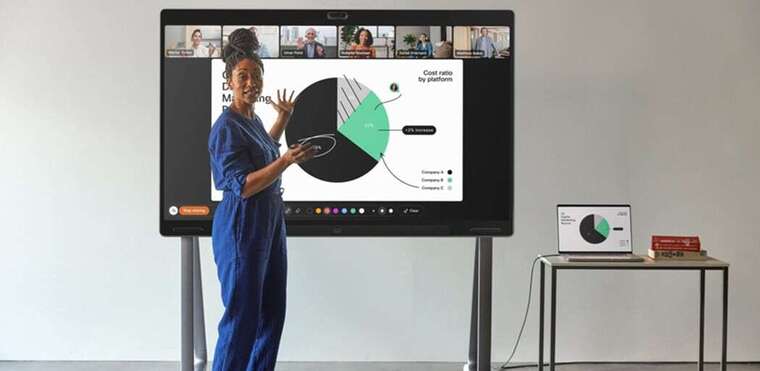 IPTel BlogCisco Webex Meeting Rooms: Latest InnovationsNew Cisco hardware, smarter cameras, and zero-touch deployment are changing how meeting rooms get managed.
.gif?width=760&height=380&name=Meeting%20Rooms%20as%20a%20Service%20(Instagram%20Post).gif) IPTel BlogManaged Services: Meeting Rooms as a ServiceMeeting Rooms as a Service is about convenience and ease of use: we offer the best of breed Cisco Webex…
IPTel BlogManaged Services: Meeting Rooms as a ServiceMeeting Rooms as a Service is about convenience and ease of use: we offer the best of breed Cisco Webex…
 IPTel BlogWhy the Cisco Desk Pro G2 Isn’t Just a Personal Device AnymoreDiscover how the Cisco Desk Pro G2 transforms from a personal video endpoint to a small-group meeting…
Talk to an IPTel Engineer
Tell us about your site and what you need from your network. We'll come back with practical advice and a free quote.